
Best Way to Take Payments on a Job Site: The 2026 Field Service Guide
Published:
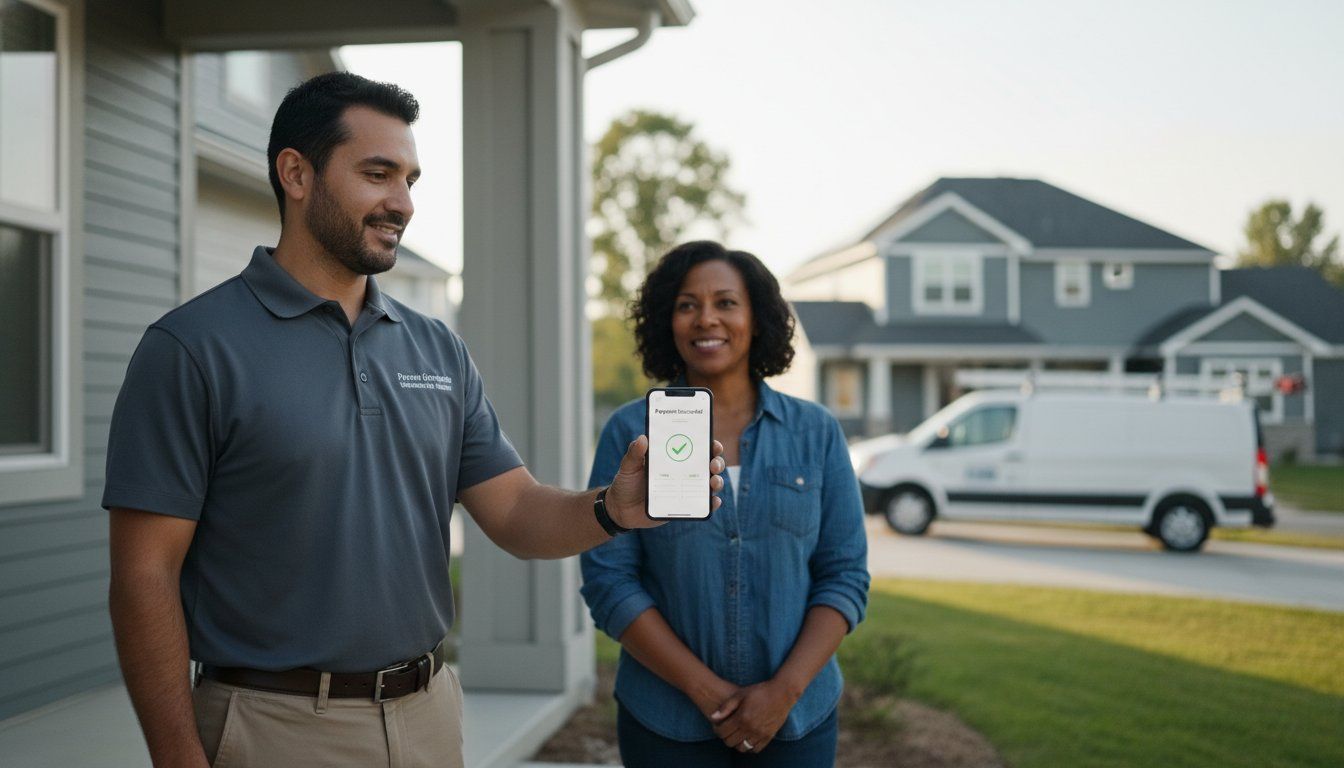
What if the most reliable tool in your truck wasn’t a hammer or a drill, but your smartphone acting as a fee-free payment terminal? Finding the best way to take payments on a job site is often a struggle between convenience and cost. You’ve likely spent years dealing with card readers that lose their charge at the worst possible moment or watching a significant chunk of every big project vanish into processing fees. It’s frustrating to finish a job and still have to worry about whether an invoice will actually get paid weeks later.
The most effective field solutions in 2026 don’t involve bulky hardware or losing your hard-earned margins to typical transaction fees that can reach 3.5%. We’ll show you how to collect payments instantly and professionally without carrying a single extra device. By using a compliant surcharge and dual pricing engine, you can finally eliminate those processing fees entirely while providing instant verification before you leave the site. This guide covers the shift toward hardware-free virtual terminals and the latest regulations that make zero-fee processing a reality for your business.
Key Takeaways
- Stop relying on fragile card readers that fail in the field and switch to a more reliable software-based approach.
- Discover why a virtual terminal is the best way to take payments on a job site while maintaining a professional image.
- Learn how to implement surcharge and dual pricing models to eliminate processing fees and keep more of your profit.
- Get paid instantly using secure payment links that allow customers to complete transactions on their own devices.
- Streamline your operations with an omni-channel system that syncs your field payments directly with your office invoicing.
Table of Contents
- The Evolution of Job Site Payments: Why Traditional POS Fails
- Virtual Terminals and Payment Links: The Best Way to Take Payments
- Comparing Field Payment Methods: Mobile POS vs. Software-Only
- Eliminating Processing Fees with Surcharging and Dual Pricing
- Implementing Strictly: The Rugged, $0-Fee Field Solution
The Evolution of Job Site Payments: Why Traditional POS Fails
For decades, the field service industry relied on paper checks and physical invoices. This “check is in the mail” culture created a massive bottleneck for contractors. Waiting weeks for a payment to clear means your capital is locked away while your bills for materials and labor continue to pile up. The evolution of mobile payments has finally made it possible to break this cycle. Finding the best way to take payments on a job site now means moving away from archaic methods that delay your cash flow and frustrate your clients.
In 2026, consumer expectations have shifted dramatically. Clients no longer want to dig for a checkbook; they want instant digital receipts and the ability to pay with a tap or a secure link on their own devices. Relying on traditional point-of-sale (POS) systems often fails in the field because these tools weren’t built for dusty construction sites or rainy driveways. Unreliable job site Wi-Fi and cellular dead zones further complicate the use of hardware that requires a constant, stable connection to function.
To better understand the different methods available for your business, watch this helpful video:
The High Cost of Delayed Payments
When you finish a project, the financial loop should close immediately. The gap between job completion and having cash in hand often forces small businesses to seek high-interest working capital just to cover the next job’s overhead. Instant field payments eliminate this stress. By processing the transaction on-site, you gain immediate verification that the funds are on the way. There is also a significant psychological benefit; both you and the client can walk away knowing the job is fully settled. This prevents those awkward follow-up calls three weeks later and keeps your focus on the next project.
Environmental Challenges for Payment Hardware
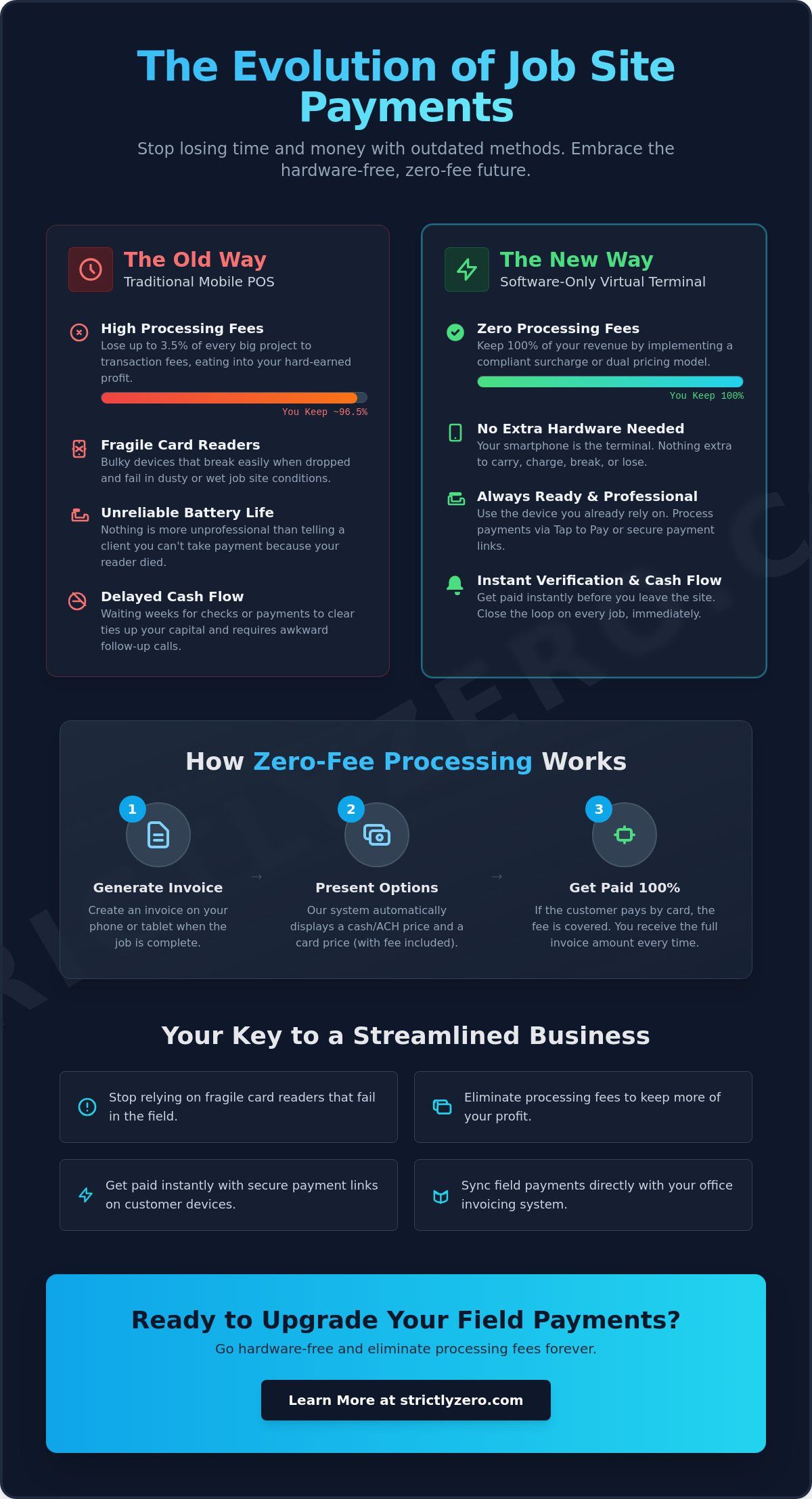
Most Bluetooth card readers are fragile. They aren’t designed to survive a drop onto concrete or constant exposure to sawdust and moisture. Beyond durability, battery life is a constant source of anxiety. There is nothing more unprofessional than telling a client you can’t take their payment because your reader died. Since you already carry a ruggedized smartphone, using a virtual terminal is the best way to take payments on a job site. It removes the need for extra gadgets that break or lose charge, turning your phone into a secure, hardware-free portal that works as hard as you do.
Virtual Terminals and Payment Links: The Best Way to Take Payments
Many contractors believe virtual terminals are strictly for office staff sitting behind a desk. That’s a mistake that limits your flexibility in the field. A virtual terminal is a software-based system that processes cards without physical hardware, turning any connected device into a secure checkout point. Finding the best way to take payments on a job site often leads savvy business owners away from physical readers and toward these software-only solutions. It’s a cleaner, more reliable way to do business that mirrors how customers already shop online.
By 2026, “Tap to Pay” technology on standard mobile devices has become the industry standard. You don’t need a separate dongle or a Bluetooth reader that might fail to sync. Instead, you can use your phone’s built-in sensors to accept contactless payments safely. This shift significantly boosts security. By allowing customers to enter their own card details or use digital wallets, you remove yourself from the liability of handling sensitive physical data. The Electronic Fund Transfer Act provides the legal framework for these digital interactions, ensuring both you and your customer are protected during every transaction.
How Virtual Terminals Work in the Field
Operating a virtual terminal is straightforward. You simply log into a secure mobile browser or app, enter the transaction amount, and input the customer’s payment information. A virtual terminal acts as a cloud-based checkout for field service mobility, meaning you can manage multiple technicians from one central account. This hardware-free approach is the best way to take payments on a job site because it eliminates the most common point of failure. You get centralized reporting for decentralized teams, giving you a real-time view of your company’s cash flow without waiting for crews to return to the shop. If you want to streamline this process, implementing a virtual terminal and invoicing system can save hours of administrative work every week.
The Power of SMS and QR Code Payment Links
Payment links take convenience a step further by putting the customer in control. You can text a secure link directly to a client’s smartphone, allowing them to pay via credit card or digital wallet while you’re still finishing up the job. QR codes printed on work orders or displayed on your screen offer a similar contactless experience. These methods have much higher conversion rates for residential service calls because they feel familiar to the modern consumer. They don’t have to hand over their card, and you don’t have to worry about hardware connectivity. It’s fast, professional, and ensures you’re paid before you even load your tools back into the truck.
Comparing Field Payment Methods: Mobile POS vs. Software-Only
Choosing the best way to take payments on a job site requires looking past the initial convenience of a “free” card reader. Many contractors start with basic dongles because they’re familiar, but as a business scales, these physical devices often become a bottleneck. When you compare a traditional mobile POS against a software-only virtual terminal, the differences in reliability and long-term cost become clear. While hardware relies on mechanical parts and battery life, software solutions leverage the device you already carry, offering a more stable and professional experience for your clients.
Hardware vs. Software: A Contractor’s Comparison
Physical readers, like the common Bluetooth dongles, often suffer from connectivity issues. Fumbling with a device that won’t pair while a customer is waiting looks unprofessional and can create doubt about your business’s technical capabilities. In contrast, a browser-based virtual terminal or a secure payment link offers a sleek, modern checkout experience. By 2026, “Tap to Pay” technology has turned standard smartphones into powerful terminals, making the plastic swiper obsolete. Finding the best way to take payments on a job site often means prioritizing software that grows with your team. Modern software solutions also include robust “Offline Mode” capabilities. This allows you to capture transaction data in remote areas and sync it once you’re back in range, ensuring your team never misses a payment due to a spotty cellular signal.
Total Cost of Ownership (TCO) for Field Payments
The true cost of field payments isn’t just the transaction fee. Hardware comes with hidden expenses like shipping, replacement costs when a reader is dropped, and the constant need for proprietary charging cables. If you have five technicians, buying and maintaining five separate readers adds up quickly. Software-only solutions offer superior scalability because you can add new crew members to your account instantly without ordering new equipment. This omni-channel payment processing approach allows your office staff and field techs to use the same platform, reducing administrative errors and simplifying your reporting.
Beyond the lack of maintenance, software-only platforms often include advanced features like AI-driven fraud prevention that physical readers can’t match. For businesses with high transaction volumes, a software subscription is more predictable than the cycle of buying and replacing fragile hardware. You get instant updates, better security, and a system that works anywhere your phone does. This shift away from physical tools allows you to focus on the project at hand rather than the gadgets used to pay for it.
Eliminating Processing Fees with Surcharging and Dual Pricing
High-ticket projects like HVAC installations, roof replacements, or major landscaping overhauls often carry price tags of $10,000 or more. If you’re paying a standard 3% processing fee, you’re handing over $300 of your profit to a bank for a single transaction. This is why finding the best way to take payments on a job site must include a strategy to neutralize these overhead costs. By 2026, savvy contractors have moved away from absorbing these fees and instead use intelligent pricing models to protect their margins.
The burden of these fees can be the difference between a profitable month and a struggling one. When you process a large payment on-site, you shouldn’t have to choose between convenience and cost. Implementing a software-based Surcharge & Dual Pricing Engine allows you to offer modern payment options without sacrificing your bottom line. These systems handle the complex calculations and compliance requirements automatically, ensuring your business remains profitable on every job.
Understanding the Surcharge Model
Surcharging is a model where the credit card processing fee is passed directly to the customer at the point of sale. A smart pricing engine is essential for this approach because it must automatically detect whether a card is credit or debit. Per Visa regulations effective in 2026, you can’t surcharge debit cards, and credit surcharges are capped at 3% of the transaction total. You also need to stay aware of state-specific laws; surcharging is currently prohibited in states like Connecticut, Maine, and Massachusetts. For a deeper look at these specific legal requirements, you can explore this guide on Zero Fee Credit Card Processing. Proper signage and clear disclosure on your mobile checkout screen are required to keep your business compliant while using this method.
Dual Pricing: The Contractor’s Best Friend
Dual pricing is often considered the best way to take payments on a job site because it’s the most customer-friendly and compliant model available. This strategy presents two distinct prices to the client: a standard price for credit card users and a lower price for those paying with cash or check. Since this is framed as a cash discount rather than a penalty for using credit, it’s generally permitted in all 50 states. Automated dual pricing software eliminates manual math errors on-site, ensuring your technicians always provide accurate quotes without needing a calculator.
Transparency is the key to maintaining trust when you change your pricing structure. California’s SB 478 requires that all mandatory fees be included in the advertised price, but credit card surcharges aren’t considered mandatory if other payment options are provided. By clearly communicating these options during the estimate phase, you remove friction at the time of final settlement. This professional approach demonstrates that you’re a transparent business owner who values fair pricing and modern convenience.
Implementing Strictly: The Rugged, $0-Fee Field Solution
Adopting a software-first approach is the best way to take payments on a job site without the constant headache of broken hardware or lost profits. Strictly provides a robust platform designed specifically for the needs of field service professionals who are tired of the status quo. Instead of juggling multiple vendors for your office and your field crews, Strictly offers a unified environment where every transaction is managed through a single, secure merchant account. This transition allows you to move away from fragile dongles and toward a more reliable, professional way of doing business.
Unified Payments for Field and Office
One of the biggest challenges for growing service companies is the disconnect between field work and back-office accounting. Strictly solves this by syncing job site payments with your internal records in real-time. Whether you are taking a deposit through your website or a final payment in a customer’s driveway, the data flows into one centralized dashboard. Strictly’s ecommerce payment processing tools bridge the gap between different sales channels, ensuring that your reporting is always accurate. This omni-channel payment processing approach simplifies your administrative tasks and provides a clear view of your company’s cash flow at any given moment.
Getting Started with Hardware-Free Payments
Moving to a hardware-free system is faster and easier than most contractors expect. The onboarding process is designed for speed, often taking a business from application to their first field payment in as little as 24 hours. Because the interface is intuitive, training your crew requires zero technical expertise. Your technicians can focus on their craftsmanship rather than troubleshooting a card reader. The software handles all the complex surcharge and dual pricing rules automatically, ensuring every transaction is compliant with the latest 2026 regulations. If you’re ready to stop losing money on every swipe, it is time to eliminate your processing fees today with Strictly’s Surcharge Program. This is the best way to take payments on a job site while protecting your hard-earned margins and providing the modern experience your customers expect.
Secure Your Margins with Hardware-Free Payments
Transitioning to a software-only model is the best way to take payments on a job site because it removes the technical failures of physical readers and the financial burden of high processing fees. By utilizing virtual terminals and secure payment links, your team can collect funds instantly while maintaining a professional appearance. You’ve seen how legacy hardware and “check in the mail” delays only serve to slow your business down. It’s time to embrace a system that works as hard as your crew does.
Strictly’s platform provides a 2026-compliant automated surcharge engine that handles the complex math of dual pricing for you. You don’t need proprietary hardware to get started, and you can implement a $0 processing fee model that keeps your project totals intact. This approach ensures your business stays profitable on every single project without the overhead of traditional merchant services. Stop paying for processing and start getting paid on-site with Strictly. Take control of your cash flow today and give your field crews the tools they need to succeed without the extra baggage.
Frequently Asked Questions
What is the most reliable way to take payments on a construction site?
A software-based virtual terminal is the most reliable option because it removes the risk of hardware failure. Construction sites are harsh environments where Bluetooth readers often break, get clogged with dust, or lose their charge. By using your phone browser or a dedicated app, you ensure the transaction goes through without needing extra gadgets. This approach is widely considered the best way to take payments on a job site because it relies on the rugged smartphone you already carry.
Can I take credit card payments on my phone without a card reader?
You can definitely process payments without any external hardware. Modern smartphones in 2026 support “Tap to Pay” technology, allowing you to accept contactless cards or digital wallets directly on your device. Alternatively, you can manually enter card details into a secure virtual terminal. This eliminates the need for plastic dongles that often fail to sync or require constant charging during a busy workday in the field.
Is it legal to pass credit card processing fees to customers on a job site?
It’s legal in most U.S. states, though regulations vary by location. Surcharging is currently prohibited in states like Connecticut, Maine, and Massachusetts, but dual pricing is generally permitted in all 50 states as a cash discount. You must follow card network rules, such as capping credit surcharges at 3% and providing clear disclosure. Using an automated surcharge engine helps you stay compliant with these shifting laws without doing the manual research yourself.
How do I handle payments if the job site has no cell service?
Many modern payment apps offer an offline mode that securely stores encrypted transaction data until you reach a signal. Once you’re back in range, the system automatically processes the payment. If you’re using a virtual terminal without offline capabilities, you can also generate a payment link and text it to the customer. They can then complete the transaction on their own device whenever they have access to Wi-Fi or cellular data later that day.
What is the difference between a mobile POS and a virtual terminal?
A mobile POS typically involves a physical card reader paired with an app to swipe or dip cards. In contrast, a virtual terminal is a purely software-based solution that lets you process payments via a web browser or mobile application. For field service pros, the virtual terminal is often the best way to take payments on a job site because it removes the maintenance costs and reliability issues associated with carrying extra physical hardware.
How much can a contractor save by using a zero-fee processing model?
Contractors typically save between 2.5% and 3.5% on every credit card transaction by switching to a zero-fee model. On a $10,000 project, that’s an extra $300 kept in your pocket rather than paid to a processor. Over a year of high-ticket service calls, these savings can amount to thousands of dollars. It effectively neutralizes the cost of doing business while allowing you to offer the convenience of card payments to your clients.
Are virtual terminal payments secure for high-ticket service calls?
Virtual terminals are highly secure and often safer than physical readers. They use end-to-end encryption to protect sensitive data and often include AI-driven fraud prevention to flag suspicious transactions in real-time. Since the customer can enter their own details through a secure link, your technicians never have to touch or store physical card information. This reduces your liability and builds trust with clients during large, expensive projects where security is a top priority.
How do I send a payment link to a customer from the field?
You can send a payment link directly from your virtual terminal interface via SMS or email. Once you enter the job details and total amount, the system generates a unique, secure URL for the client. The customer clicks the link on their own phone and enters their payment info using their preferred method. This is incredibly popular for residential service because it’s contactless and allows the client to pay quickly without handing over their card.